




Enhanced security for your peace of mind
Our security features help protect your financial information and transactions, so you can bank online with ease.
How to approve your transactions with BIMB Secure?
What type of transaction requires authentication through BIMB Secure?
- All transactions performed via BIMB Mobile and BIMB Web
- FPX transaction regardless any amount
- Bank Islam Card-i online & eCommerce transaction
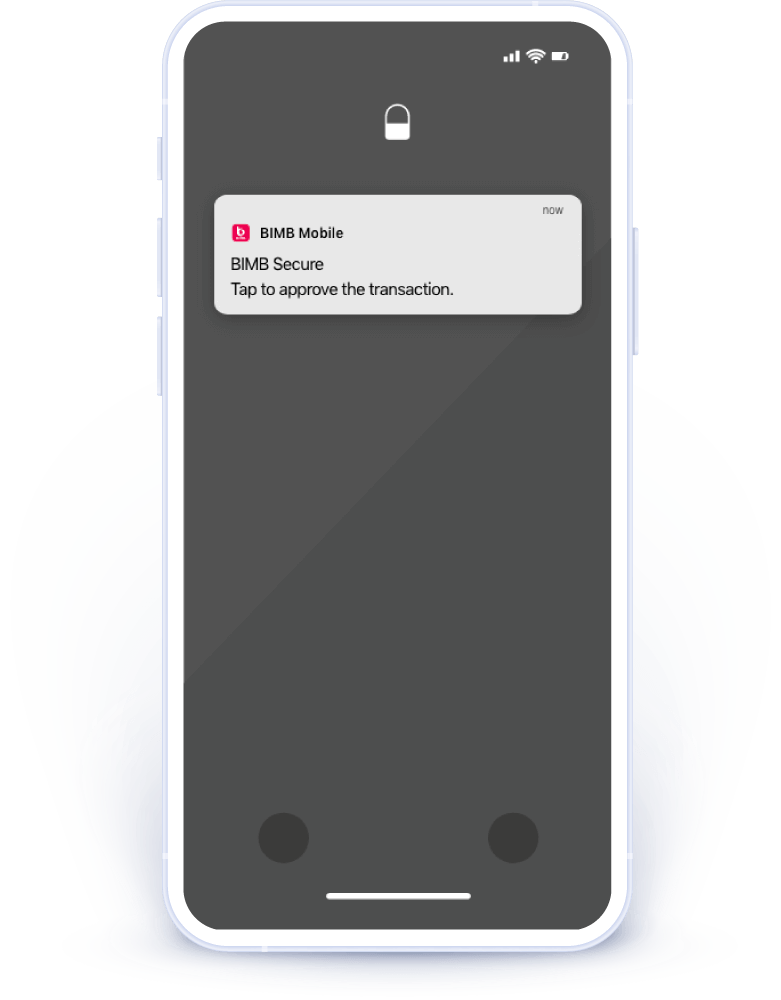
Step 1
For any BIMB Mobile or BIMB Web transaction that requires BIMB Secure authorisation, you’ll receive a push notification on your device
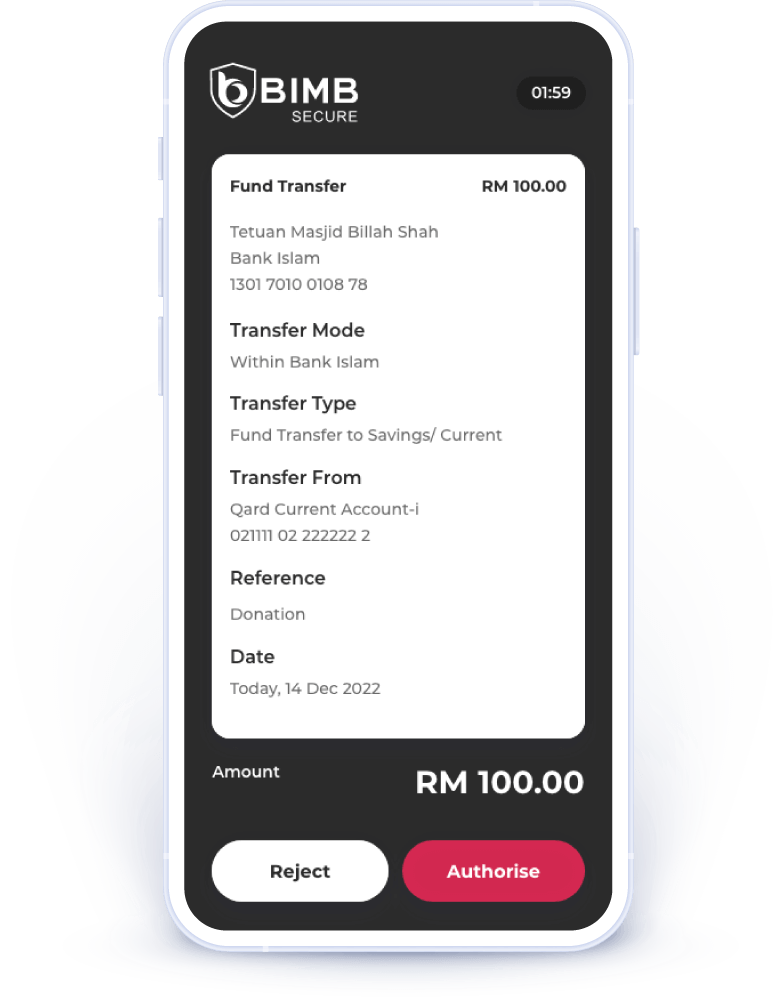
Step 2
Please verify that your transaction details are correct. If you did not request this transaction, reject it immediately.
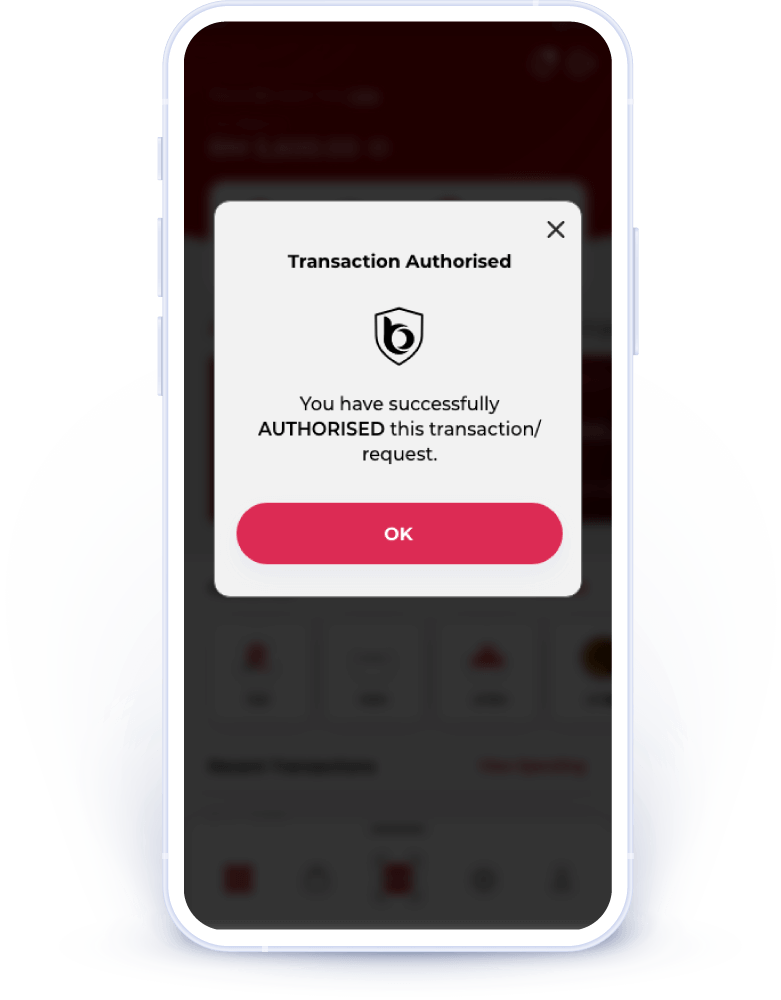
Step 3
You will see a confirmation message indicating that you have authorised this transaction. Please check your device to ensure the transaction is completed.
Frequently asked questions
After downloading BIMB Mobile, register using your existing BIMB Web Username, password, and your Identification Card (IC) / Identification Document (ID) number to bind your device with your Internet Banking Username.
For existing BIMB Web users: -
- Enter your Username and password.
- Enter your MyKad/ID number.
If you do not have a Username, first register for BIMB Web here https://web.bimb.com/. For subsequent logins, you can use your fingerprint (if supported by your mobile device) or your existing BIMB Web password.
Note: After completing the first-time setup as a new user for BIMB Mobile, you must activate your access before performing any banking transactions. Activation can be done at Bank Islam's Automated Teller Machines (ATM), branches or via the Contact Centre (for customers overseas or without access to branches and ATM).
After completing the initial setup, activate the service by following these steps:
- Activation via ATM/ CRM
- Visit any Bank Islam ATM/ CRM
- Insert your debit or credit card
- Enter your 6-digit PIN to access the Main Menu
- Select ‘Others’
- Select ’Online Access Activation’
- Complete the activation process
- Activation at Branch
- Visit any Bank Islam branch
- Fill out and submit the Activation Request Form
- The branch will process your activation request
Note: For overseas customers, please email to Bank Islam Contact Center at contactcenter@bankislam.com.my or for instant support, connect with Chatbot Adam at www.bimb.com.
Yes, you can register for the BIMB Mobile even if you don't have a Bank Islam savings account. Complete the online activation at an ATM or by visiting the nearest branch.
Note: For overseas customers, please email to Bank Islam Contact Centre at contactcenter@bankislam.com.my or for instant support, connect with Chatbot Adam at www.bimb.com. to perform online activation.