



Get ready for a whole new banking experience.
New UI UX

Better Navigation
Enhanced features
How to switch to our new BIMB Mobile?
Meet Your Financial Companion - Simplify Your Banking with BIMB


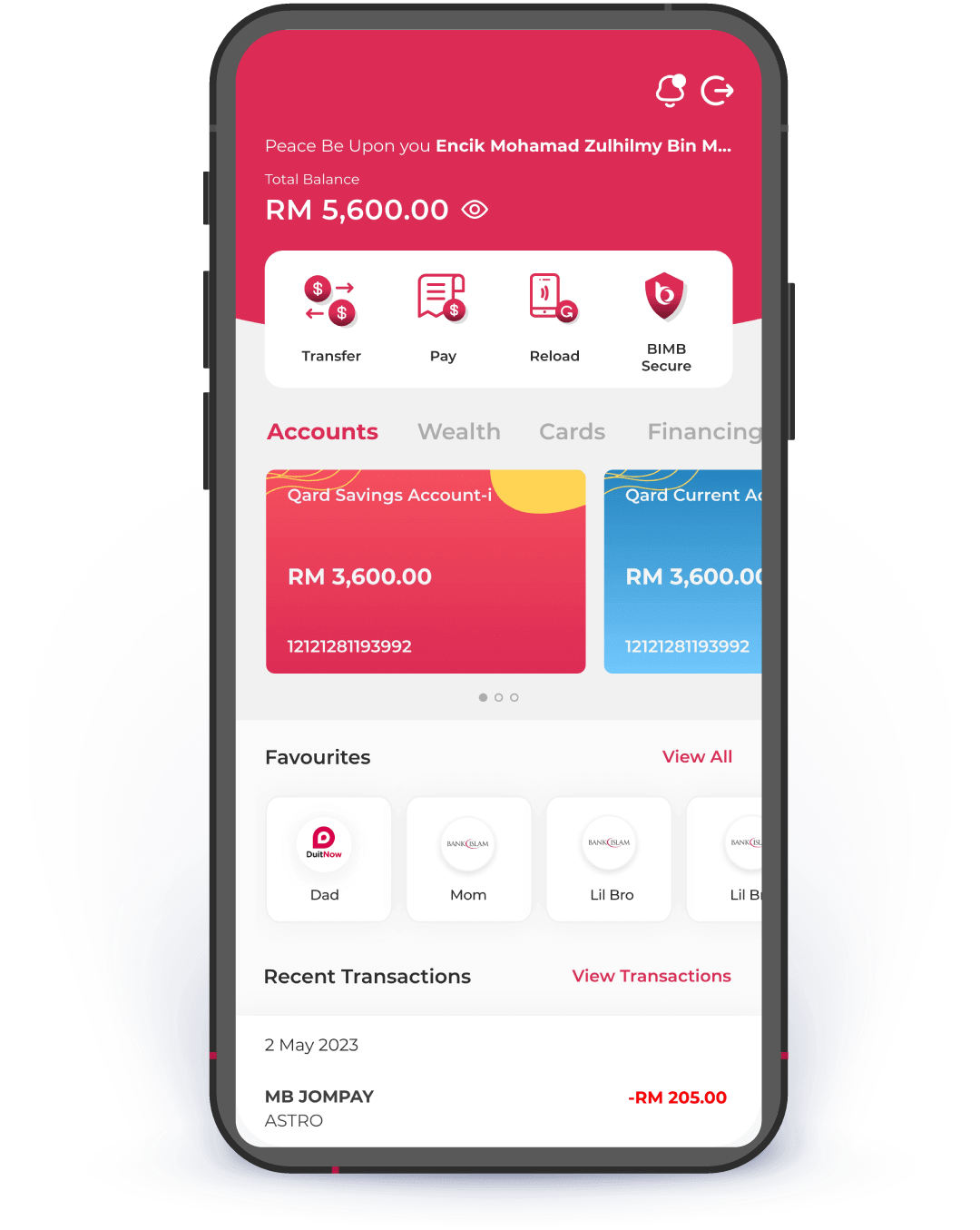
Here's what you need to know before switching to BIMB

Your favourites will automatically move to the new BIMB.

All recurring & future dated transactions will not be transferred.

Once you switch, you will no longer have access to the previous Bank Islam Internet Banking.
Frequently Asked Questions
Switching to BIMB Mobile & BIMB Web
To access BIMB Web, you need to register as a user. Please refer to the How to Use section in the Help Centre at https://www.bimb.com/ for the steps to register.
Yes, you can access Individual and Joint Accounts through BIMB Web, which can be obtained via https://www.bankislam.com/.
However, to access your Sole Proprietor Account, you must:
- Apply for a separate Bank Islam Debit Card-i linked to the Sole Proprietor Account, and
- Register separately for BIMB Web access using that card.
To ensure seamless and secure experience when using BIMB Web, we recommend the following minimum system and browser requirements:
- Minimum Browser Requirements
BIMB Web is supported on the following browsers:
- Google Chrome: Version 29 and above.
- Mozilla Firefox: Version 27 and above.
- Microsoft Edge: Version 12 and above.
- Apple Safari: Version 7 and above (for macOS and iOS users).
These browsers must support modern web standards and JavaScript.
- Recommended Browsers for Best Viewing Experience
For optimal performance and compatibility, it is highly recommended to use the latest versions of:
- Google Chrome
- Microsoft Edge
- Minimum System Requirements
- Desktop/Laptop:
- Operating System: Windows 10 or macOS Catalina and above.
- Browser: Any of the supported browsers listed above.
- Individual accounts
- Joint accounts - your ability to make transfers is subject to the joint account mandate
- Trust accounts - access is currently limited to Primary Account Holder (parent or guardian); beneficiary access will be enabled in the future
- Sole Proprietorship accounts
BIMB Mobile Account Setup
To access BIMB Web, you need to register as a user. Please refer to the How to Use section in the Help Centre at https://www.bimb.com/ for the steps to register.
Yes, you can access Individual and Joint Accounts through BIMB Web, which can be obtained via https://www.bankislam.com/.
However, to access your Sole Proprietor Account, you must:
- Apply for a separate Bank Islam Debit Card-i linked to the Sole Proprietor Account, and
- Register separately for BIMB Web access using that card.
To ensure seamless and secure experience when using BIMB Web, we recommend the following minimum system and browser requirements:
- Minimum Browser Requirements
BIMB Web is supported on the following browsers:
- Google Chrome: Version 29 and above.
- Mozilla Firefox: Version 27 and above.
- Microsoft Edge: Version 12 and above.
- Apple Safari: Version 7 and above (for macOS and iOS users).
These browsers must support modern web standards and JavaScript.
- Recommended Browsers for Best Viewing Experience
For optimal performance and compatibility, it is highly recommended to use the latest versions of:
- Google Chrome
- Microsoft Edge
- Minimum System Requirements
- Desktop/Laptop:
- Operating System: Windows 10 or macOS Catalina and above.
- Browser: Any of the supported browsers listed above.
- Individual accounts
- Joint accounts - your ability to make transfers is subject to the joint account mandate
- Trust accounts - access is currently limited to Primary Account Holder (parent or guardian); beneficiary access will be enabled in the future
- Sole Proprietorship accounts
BIMB Web Account Setup
To access BIMB Web, you need to register as a user. Please refer to the How to Use section in the Help Centre at https://www.bimb.com/ for the steps to register.
Yes, you can access Individual and Joint Accounts through BIMB Web, which can be obtained via https://www.bankislam.com/.
However, to access your Sole Proprietor Account, you must:
- Apply for a separate Bank Islam Debit Card-i linked to the Sole Proprietor Account, and
- Register separately for BIMB Web access using that card.
To ensure seamless and secure experience when using BIMB Web, we recommend the following minimum system and browser requirements:
- Minimum Browser Requirements
BIMB Web is supported on the following browsers:
- Google Chrome: Version 29 and above.
- Mozilla Firefox: Version 27 and above.
- Microsoft Edge: Version 12 and above.
- Apple Safari: Version 7 and above (for macOS and iOS users).
These browsers must support modern web standards and JavaScript.
- Recommended Browsers for Best Viewing Experience
For optimal performance and compatibility, it is highly recommended to use the latest versions of:
- Google Chrome
- Microsoft Edge
- Minimum System Requirements
- Desktop/Laptop:
- Operating System: Windows 10 or macOS Catalina and above.
- Browser: Any of the supported browsers listed above.
- Individual accounts
- Joint accounts - your ability to make transfers is subject to the joint account mandate
- Trust accounts - access is currently limited to Primary Account Holder (parent or guardian); beneficiary access will be enabled in the future
- Sole Proprietorship accounts

Download
BIMB Mobile